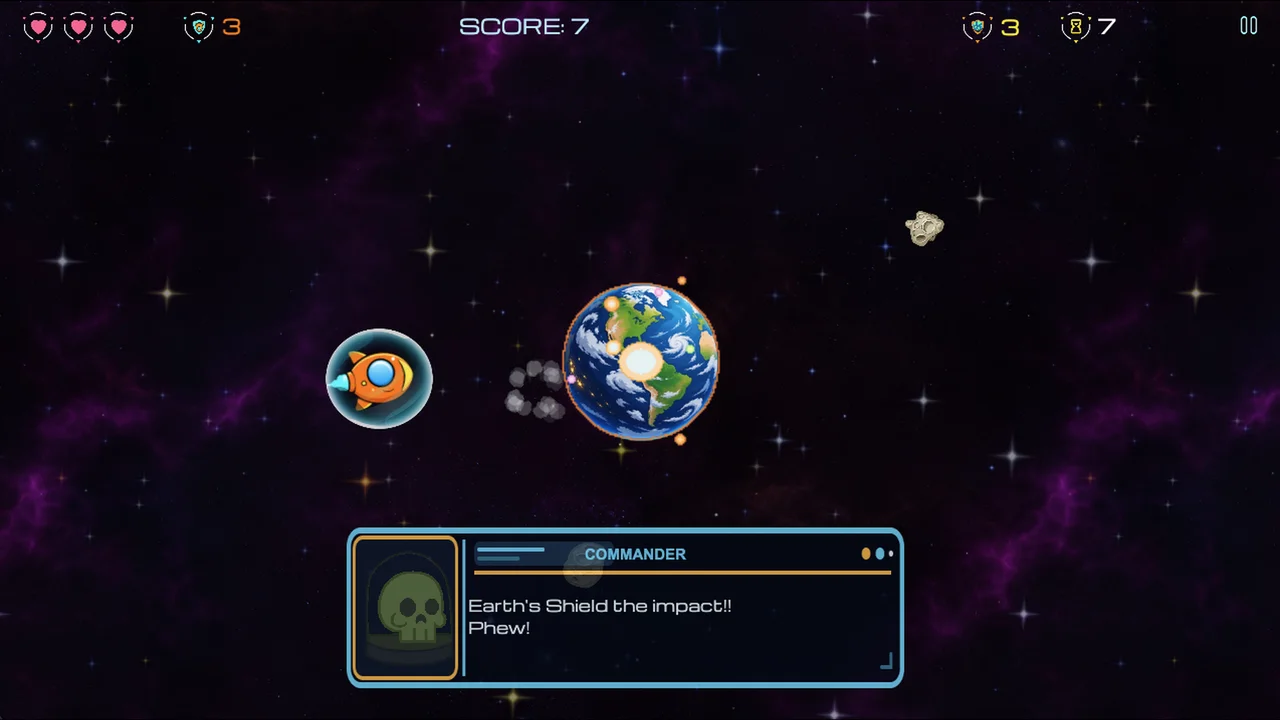
PERIGEE PANIC is an arcade space shooter from RB Games in which you defend Earth from asteroids and UFOs while managing your ship’s gravity-driven movement.
Key takeaways
- PERIGEE PANIC is a single-player arcade space shooter built around defending Earth while managing your own ship’s momentum.
- Watch your flight path as well as the target. A successful shot does not prevent a crash.
- Collect alternate weapons during a run. Hangar cosmetics change appearances and give no gameplay advantage.
- Play free in your browser or find the Android version on Google Play. Free browser play does not require an account.
About this guide
PERIGEE PANIC is a gravity-driven arcade space shooter from RB Games, made by solo developer Rikki Robertson-Brown. Your job is to defend Earth from asteroids and UFOs while keeping your own spacecraft from crashing into the planet. Shooting is one part of the challenge. Managing thrust, braking and momentum is the other.
Here is a beginner’s guide from RB Games to learning the movement and getting more out of each run.
What are you trying to do?
Protect Earth and keep your ship alive. The tension comes from doing both at once: you can be lining up a shot at an incoming threat while your own flight path takes you dangerously close to the planet. The familiar arcade instinct to focus entirely on targets can leave too little attention for where you are going.
For an early run, make control your first goal. Give yourself room to react, notice when you are moving towards Earth and recover before the situation becomes urgent. Once you can recognise that danger, you can spend more attention on interception, pickups and your score. Learning the movement is part of playing, rather than a separate obstacle to get past.
How do the controls work?
On the browser version’s keyboard controls, W or the up arrow boosts, S or the down arrow brakes, and A and D move sideways. Aim with the mouse and click to fire. Touch players use the on-screen flight and fire controls; landscape orientation gives those controls and the action more room.
Start by learning what one input does before combining everything. Try a short boost, watch the change in movement, then use the brake and watch again. Next, practise moving sideways while keeping an eye on Earth. You do not need a high score for that attempt to teach you something useful.
Why does the ship keep heading towards Earth?
Gravity and momentum are central to the game. Your ship’s current movement matters, so the direction you want to travel is not the whole story. Aiming at an asteroid does not tell you whether your flight path is safe.
Look between three things: Earth, your ship’s movement and the threat you want to shoot. When all your attention stays on the target, a developing crash can be easy to miss. Treat a shrinking gap to Earth as a reason to reassess your movement, rather than waiting until the last moment to react.
When should you boost or brake?
Use them deliberately and judge the result on screen. Boosting and braking are tools for managing a changing situation, not buttons to hold without watching what happens. The useful question is whether the input is giving you more control over your approach to Earth and the surrounding threats.
A simple practice loop is to make one correction, observe it and then choose the next correction. That gives you clearer feedback than changing several inputs at once. If a run ends in a crash, think about the movement just before it: did you notice the approach early enough, and did your correction change the path in the way you expected?
Should you chase every pickup?
No pickup is worth a crash just because it is close. Alternate weapons and powers are collected during play, which makes the choice to approach a pickup part of the run. Consider your route before committing: what happens to your distance from Earth while you collect it, and what threats will still be there afterwards?
There is no need to turn that into a rigid rule against taking risks. A risky pickup can be exactly the moment you want to try. The aim is to make the decision consciously, rather than letting the reward distract you from the movement that gets you there.
Do Hangar items make the ship stronger?
Cosmetic customisation does not give a gameplay advantage. The Hangar changes the appearance of ships, missiles and shields. A weapon skin changes the look of the corresponding weapon when it is used; it does not let you buy a stronger starting weapon or choose every weapon before the run.
Earned cosmetics and optional paid content are listed separately in the game. Check the purchase screen for the current contents and regional price of a pack.
How can you improve without chasing a score immediately?
Give the next attempt one focus. You might practise noticing a low approach sooner, recovering before pursuing a target, or deciding whether a pickup is worth the route. Keeping the focus narrow makes it easier to tell what changed between attempts.
Then return to the full challenge. Defend Earth, manage your movement and see how that control affects your run. The online leaderboard gives score-chasers a place to compare results, but your own progress can also be a recovery you recognised earlier or a mistake you avoided repeating. Those are useful steps even when the score is not a personal best.
Where can you play?
You can play the free browser version at rbgames.dev/play/ or find PERIGEE PANIC on Google Play for Android. Free browser play does not require an account. Optional purchases and restore features use a separate sign-in flow.
The browser/PWA route is separate from a native iOS App Store release. PERIGEE PANIC 3D is also a separate prototype in development. This guide covers the released single-player 2D game.
Ready for a run? Save Earth. Try not to crash into it.